10.19.2006

Tangerine

An awesome little Mac App that analyzes your iTunes library, and allows you to create playlists based on the Beats Per Minute (BPM) in a song.

Now you may think this process would take a while, but it doesn't. It has taken about 15 minutes to analyze my library of 1210 tracks on my 2.0 Ghz Intel Core Duo MacBook with 512mb of RAM.

Right now, Tangerine is in Beta, so it is currently free. So if you want to pick up a copy hop on over to the Potion Factory, and download Tangerine.
10.14.2006

My Top 'Must Have' Ad-ons for Firefox 2 RC 2

1. Adblock Plus - This is a must have extension for every Firefox user, but is not complete without...

2. Adblock Filterset.G Updater - This handy little extension automatically downloads the latest version of Filterset.G every 4-7 days. Filterset.G is an excellent set of filters maintained by G for Adblock that blocks most ads on the internet.

3. Foxmarks - This extension is great if you have Firefox on multiple computers. It stores your bookmarks on the Foxmarks server, and allows you to sync your bookmarks across multiple computers.

4. RTSE - The Rooster Teeth Site Extender, this is a must have for anyone that is an active member of the Rooster Teeth comunity.

5. Pinstripe for Firefox - If you are on a Mac, this is the theme for you. The theme still has a few rough edges, but is very usable, one of my favorites.

6. Aqua Firefox Set - This really isn't an extension or theme, but it is a must for any Mac user running Firefox. What it does is replaces Firefox's standard radio buttons, check boxes, ect. and makes them more 'Macish'. Even though it says it only works with Firefox 1.5.0.7 and above, it does work with Firefox 2 RC 2.

7. Nightly Tester Tools - This extension is great if you love to jump onto the newest versions of Firefox, that aren't the 'world standard'. Nightly Tester Tools, basically forces 'incompatible' extensions to work with the current build of Firefox you are running.

Those are my favorite Ad-ons for Firefox 2 RC 2. If you have any others that are worth checking out, feel free to leave a link to them in the comments!

10.13.2006

Formatting is Fun!

No, not really. Anyway, on the topic of formatting, I just reformatted my Windows Box. Fun stuff.

So right now I am in the process of copying all of my data from my backup hard drive to my computer. Right now it is about halfway done, and has about an hour left. After that folder is copied I have two more to restore, but those are much smaller than this current one.

After all of my data is restored, I need to install about 50 Windows Updates, then I'll install my games. Hopefully I'll get it finished soon!

9.24.2006

GParted

This is perhaps one of the best partition editing tools in the world! GParted offers non destructive partitioning and resizing, supporting all of these file system formats: ntfs, ext2, ext3, Fat16, Fat32, hfs, hfs+, jfs, Linux-swap, reiserfs, reiser4, ufs, and xfs. By now you are probably thinking, "This software must cost a fortune!" Well, I have good news for you! GParted is an open source program and free of cost. You can download GParted to install on your Linux box. You can also get a Live CD, and a Live USB version.

Here are some screen shots of GParted courtesy of http://gparted.sourceforge.net.

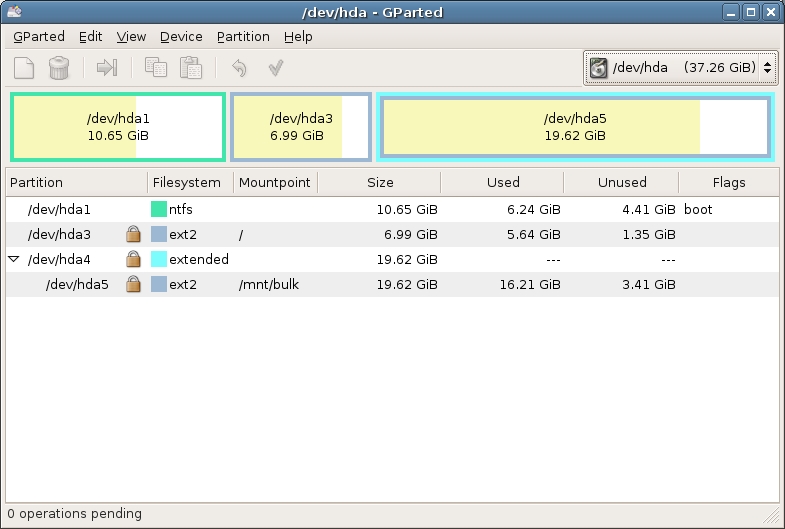
This is a screen shot of the main window.


This is a screen shot of detailed information of a hard disk.

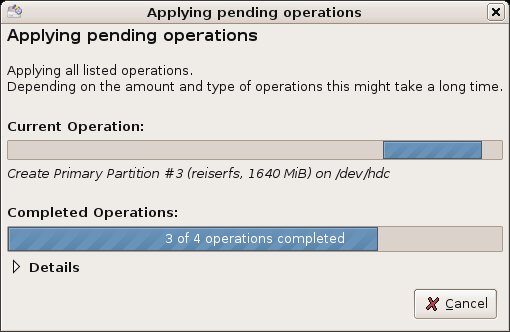
This is a screen shot of progress dialogue.

This is a screen shot of the flagging options GParted gives you.


I just love GParted! I have re sized partitions myself with no problems at all. I really don't think that partition editing can get much better or easier than GParted.

9.16.2006

Vienna: Free RSS & Atom Newsreader for Mac OS X


All I can say is wow! This is an amazing RSS reader!

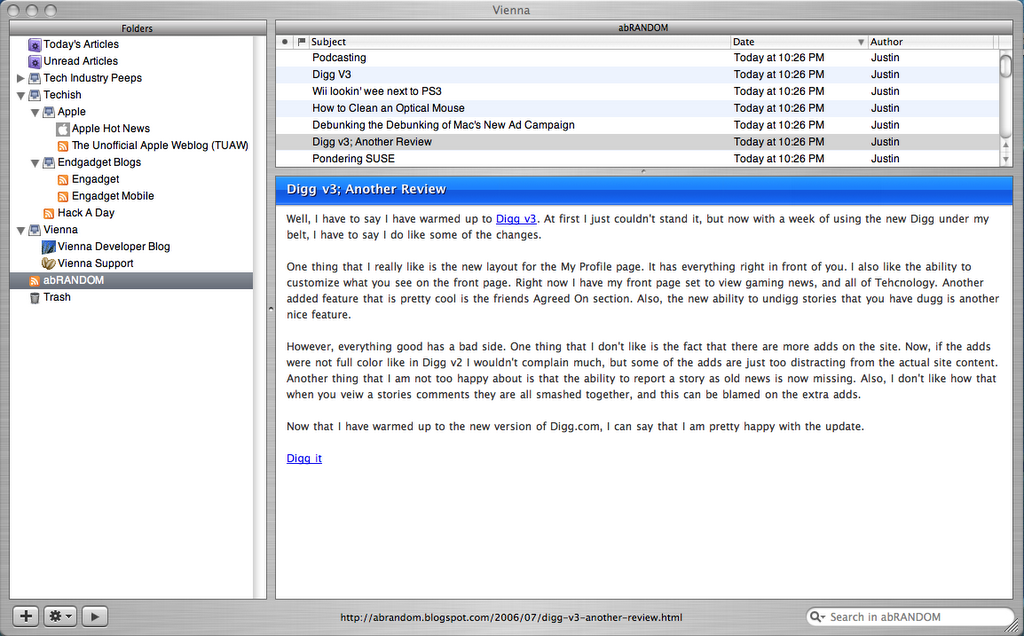
To put it simply, Vienna is a free, open source RSS/Atom newsreader for the Mac OS X. It provides features comparable to commercial newsreaders, but both it and the source code are freely available for download. Some features are a simple and intuitive user interface, built-in tabbed browser, smart folders, custom article display styles, & full AppleScript support. Vienna also has a beautiful and clean user interface, which is a breeze to learn to navigate.

Vienna's webpage | digg story

9.10.2006

Mac Update

I finally got my my MacBook! It's one sexy laptop!

9.08.2006

Mac Update

I got my MacBook. I am really enjoying it so far. I've gotten Firefox installed. One of my dads employees at work is getting me Photoshop and Final Cut. Also one of my friends at church is getting me Office for Mac, and a copy of Windows! I can't wait till I'm all settled in!

9.04.2006

New to Bittorrent?

No problem!

Recently I came accross a great collection of 9 Bittorrent How-To's. If you're new to the torrenting world I recomend you go check the article out. The how-to's range from improving dowload speeds to encrypting bittorrent traffic.

9.03.2006

MacBook Update

I have gotten the first part of my order. I recieved my iPod nano. I am in the process of looking to sell it to someone.

I hope to get my MacBook some time this week. It should be in by Friday if I'm lucky. If not it should come next Monday. One of my dad's employees out at work is going to give me a copy of Photoshop, Final Cut, and some other software, so that'll save me a few bucks!

8.27.2006

MacBook

Ordered.

I just ordered my MacBook for school.

Specs
2.0GHz Intel Core Duo
60GB Serial ATA drive
512MB 667 DDR2 SDRAM - 2x256 (I might add a 1GB stick down the road)
SuperDrive (DVD±RW/CD-RW)

I also got...
Apple Mini-DVI to DVI Adapter
Free 2GB iPod Nano (I'll probally sell it)
AppleCare Protection Plan for my MacBook


I should get it around Wednesday or Thursday. I have a friend that is getting me a copy of Windows XP Corperate Edition SP2 so I can run BootCamp. I can't wait till I get my MacBook!

Newer Posts Older Posts Home

Modified by Blogcrowds